

Help for professors
متطلبات الإكمال
Add Resources to a Course Page
Add Label to a Course page
Labels can be used to add subheadings to organize content within a course Section. You can also add text annotation in a label.
- On your main course page, click Turn editing on.
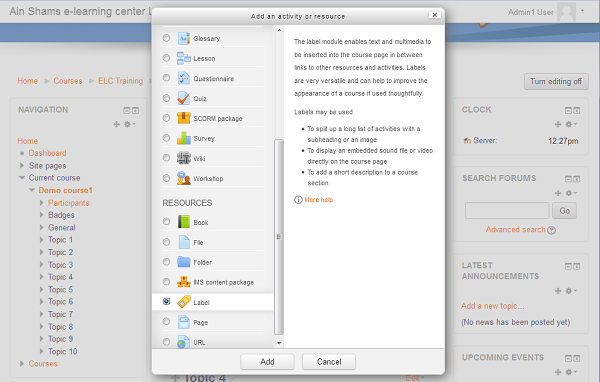
- Locate the Section of your course page where you wish to add text, expand the Section it if it is collapsed, and click + Add an activity or resource. The Activity chooser will open.
- In the Activity chooser, scroll down and select Label. The Settings page for the label will open.
- For Label text, enter and format your text.
- Scroll to the bottom of the page and click Save and return to course.