

Help for professors
Completion requirements
Add Resources to a Course Page
Add URL to a Course Page
Instructors can add a URL resource to a Topic or Weekly Section.
- On your course page, click Turn editing on (top right). Editing icons and links will appear.
- Locate the Section where you will add the link.
- In the Activity chooser, scroll down to the Resources heading and select URL.
- Click Add. The Adding a new URL page will open.
- In the Adding a new URL page, fill in the required fields.
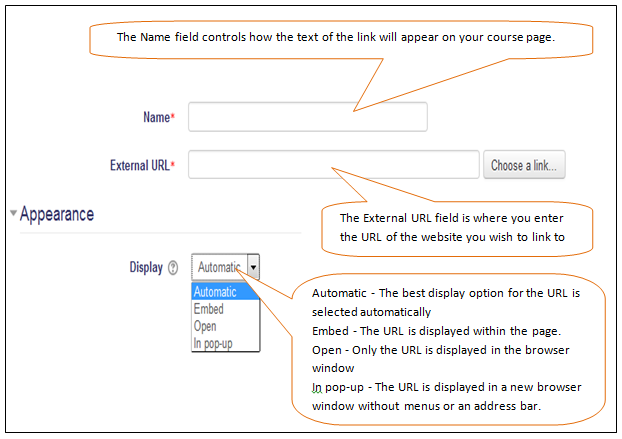
- When you have finished choosing settings, scroll to the bottom of the page and click Save and return to course.