

Help for professors
Completion requirements
Add Activities to a Course Page
Add aTrue/False question to quiz
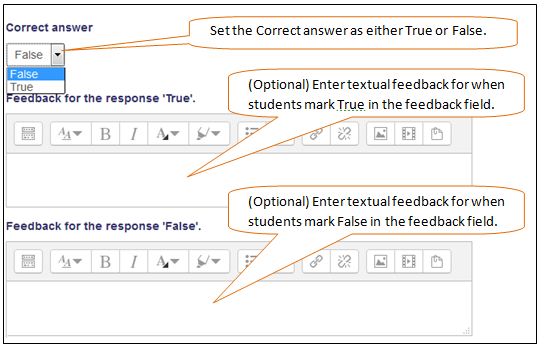
In response to a question (the text for which may include an image), the student selects either True or False.
- On your course page, find the Administration block, under Course administration, select the Question Bank ,then select the desired question category, then click Create a new question. The Choose a question type to add pop-up opens.
- In the Choose a question type to add pop-up, choose True/False, then click Add.
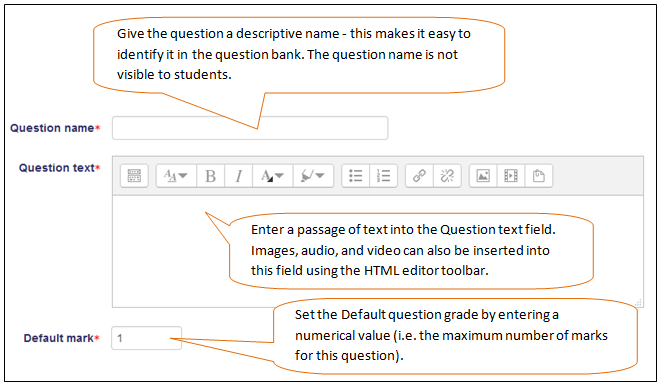
- The Adding a question screen will open.
- Click Save changes to add the question to the category.