

Help for professors
Completion requirements
Add Activities to a Course Page
Add Quiz to Course Page
Quizzes in Moodle are used to evaluate student understanding of material.
- On your course page, click Turn editing on (top right). Links and icons will appear on the page.
- Locate the Section where you will add the Quiz.
- At the bottom-right of the Section, click + Add an activity or resource. The Activity chooser will open.
- In the Activity chooser, select Quiz. A description will be displayed at right.
- Click Add. The Adding a new Quiz page will open.
- Configure settings for the Quiz.
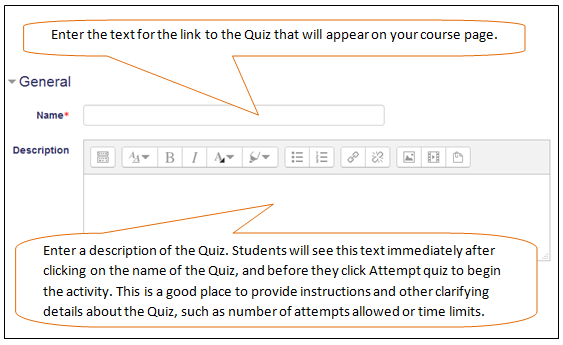
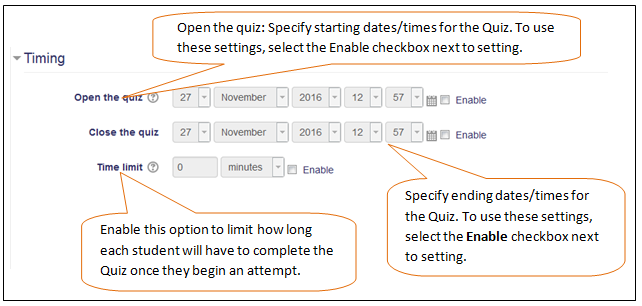
- At the bottom of the page, click Save and display.