

Help for professors
Add Activities to a Course Page
View Quiz Results
Note: Once a quiz has been attempted, it is not possible to add or delete questions unless previous scores are removed.
When attempts have been made on the quiz, the teacher can click
the quiz name and access the reports by clicking the link Attempts -
(No. of attempts).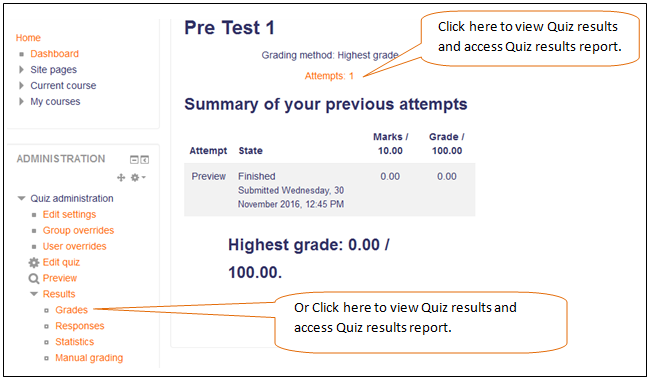 Grades report
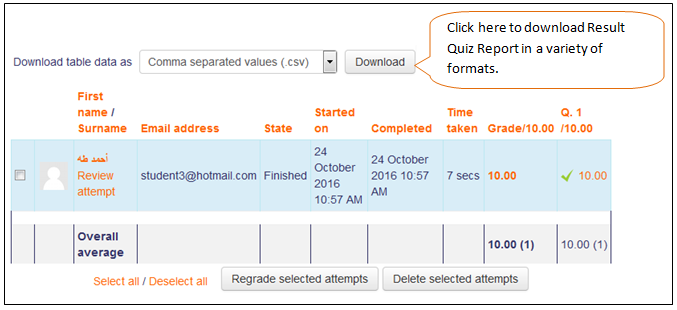
This shows all the students' quiz attempts, with the overall grade, and
the grade for each question. There are links to review all the details
of a student's attempt, just as the student would see it.
Deleting attempts
The grading report can be used to delete selected quiz attempts, which may sometimes be necessary.
Note that you cannot edit the quiz after it has been attempted, so that is one reason you may wish to delete all attempts.
Re-grading attempts
The grading report allows the teacher to select quiz attempts that
need to be regraded.